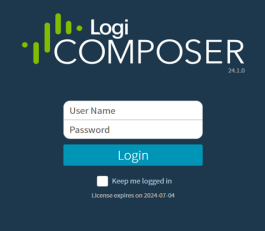
When you launch your browser and enter the web address provided by your administrator, you will see a login box. For more information on accessing Composer from a web browser, see Access Composer. Your administrator’s instructions provide guidance about using a single sign-on system if your organization’s installation is configured to use one. In that case, select Login and proceed as directed by your organization’s guidance. If your company uses Composer’s authentication, select the box labeled Show Composer Authentication.Documentation Index
Fetch the complete documentation index at: https://insightsoftware-preview.mintlify.app/llms.txt
Use this file to discover all available pages before exploring further.
Note: We recommend that you log into Composer for the first time using supervisor credentials. This allows you to review all the account-level features available. As a supervisor, you can access functions that let you define accounts and connect your data sources to Composer . You can also create and activate user accounts, including an admin user account that will allow you to access the admin functions. See Supplied Users and User Groups.
Sign On Using Composer Credentials
To sign on using Composer credentials, enter your User Name and Password in the appropriate fields.